
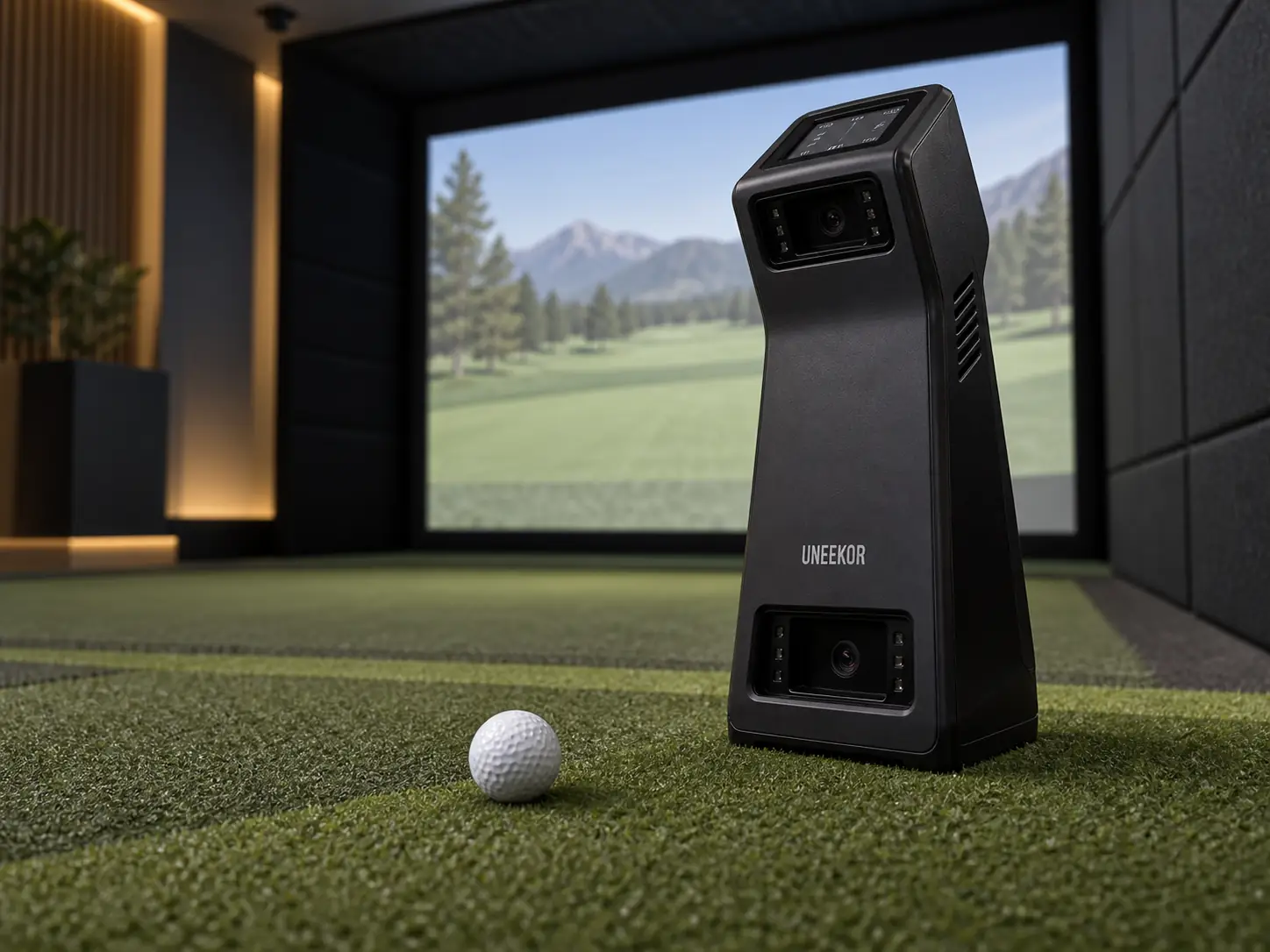
The Uneekor EYE MINI is a strong choice if you want a camera-based launch monitor that can work in a home simulator and still travel for practice.
I would not pay the extra money for portability unless you plan to use it.
At the current $2,999 price, you are paying for the battery, built-in display, carrying case, Wi-Fi, and iPad support as much as the actual shot data.
The main compromises are club stickers, moving the unit when left- and right-handed golfers alternate, and annual software costs if you want third-party simulator golf.
That makes the Uneekor EYE MINI launch monitor versatile, but not automatically better than a fixed or overhead model.
The EYE MINI Earns Its Premium Through Flexibility
Flexibility is the best reason to buy the EYE MINI.
Two high-speed cameras sit beside the ball and capture the first part of the shot.
That means you do not need the long radar path required by a monitor positioned behind the golfer.
Uneekor also gives the unit a battery, an E-ink data screen, a carrying case, Ethernet, Wi-Fi, and support for its iPad app.
Those features let you keep it wired into a permanent Windows simulator or move it for a simpler practice session.
Uneekor’s support material describes the EYE MINI as usable indoors and outdoors, although its current product page also contains indoor-only wording.
I would treat outdoor use as fair-weather practice on a dry, level mat and confirm the current guidance if the range is a major reason for buying it.
The unit weighs just under eight pounds and stands about sixteen inches tall.
It is portable, but it is not something you will casually throw into a small golf bag pocket.
If it will never leave one hitting bay, the EYE MINI Lite can deliver a similar fixed-room experience for $1,000 less.
The Nineteen Data Points Need Context
The full software experience reports nineteen ball, flight, and club values.
The built-in display shows a smaller set, which is still useful when you want quick feedback without staring at a computer.
The ball information covers speed, launch, spin, carry, total distance, peak height, descent, shot shape, and other flight results.
Some of those numbers come directly from the camera observations.
Downrange results such as carry, run, and total distance depend on a flight model because the ball normally hits a screen after a few feet.
Uneekor’s model-specific support page clearly documents four club values: club speed, attack angle, smash factor, and club path.
Those club readings require a reflective sticker on the clubface.
Uneekor’s broader comparison table currently shows additional club fields, but that conflicts with the model-specific documentation.
I would buy the EYE MINI for the confirmed four rather than assuming face angle, dynamic loft, lie angle, or numerical impact location will be available.
That confirmed data set is enough for useful gapping, speed, launch, spin, low-point, and path work.
A fitter who needs a deeper face and delivery package should look at a monitor that documents those fields without a conflict.
Impact Video Turns Numbers Into A Useful Diagnosis
Club Optix impact video is one of the EYE MINI’s most useful practice features.
A number tells you that ball speed dropped or spin changed.
The impact replay can help you see whether the real cause was a heel strike, toe strike, thin contact, or a club-delivery problem.
That is much easier to act on than a screen full of numbers with no picture of contact.
The club sticker is the tradeoff.
You need to apply it correctly, keep it visible to the cameras, and prepare every club you want to measure.
That is a small job for one golfer with one set of clubs.
It can become annoying in a fitting studio or a household constantly swapping unprepared clubs.
One independent comparison placed EYE MINI beside a GCQuad and reported close results on ordinary wedge, iron, and driver shots, with larger differences on some severe mishits.
That supports serious practice, but it does not prove that every reading will match a reference monitor in every room.
Your Room Avoids Radar Depth But Still Needs Planning
EYE MINI solves the sensor-depth problem, not the entire room problem.
Its official hitting zone is twelve inches wide by eight inches long.
The monitor must sit level with the hitting surface, parallel to the target line, and on the correct side of the ball.
You still need enough ceiling height and width for the tallest golfer to swing a driver safely.
The ball needs a sensible distance from the screen or net, and the screen needs room to move without hitting the wall behind it.
Projector placement matters too.
A compact launch monitor does not help if the projector sits in the swing path or throws a shadow across the image.
Mixed-handed play is the larger EYE MINI compromise.
Every change of handedness sends the monitor across the mat to the new golfer’s ball side.
You also need to change the handedness setting and confirm alignment again.
One golfer may never care about this.
A family, coach, or commercial bay serving both sides may be happier with an overhead monitor that stays out of the way.
Software Determines The Complete Ownership Cost
Player is the no-cost starting tier for basic practice.
It shows measured data, supplies a virtual range, and keeps a small report allowance for one golfer profile.
A $199 Pro renewal opens connector access, expands the account to five profiles, raises report limits, and includes five Refine courses.
GSPro, E6 Connect, TGC 2019, Creative Golf, and ProTee Play are listed as compatible, but those programs are sold separately.
In other words, compatible does not mean included.
A GSPro setup needs the Uneekor connector membership, the separate GSPro license, and a suitable Windows gaming PC.
Higher Uneekor plans add more native courses, profiles, and training tools.
I would choose the software first and then price the plan required to run it.
The iPad option is useful for basic practice and portable sessions.
A full simulator with detailed graphics is still a computer purchase, and the current recommended PC specifications are much higher than the old minimums still shown on some retailer pages.
A Clean Setup Protects The Quality Of Every Reading
Most avoidable problems start with placement, connection, or club preparation.
I would make the setup routine repeatable:
- keep the unit level with the hitting mat and parallel to the target line
- place the ball fully inside the recognized hitting zone
- use the correct club sticker when club data is needed
- select the correct handedness after moving the monitor
- recalibrate when the monitor, mat, or hitting insert changes position
Ethernet is the sensible connection for a permanent simulator.
Wireless operation matters most when the monitor actually travels.
Uneekor support currently lists six to eight hours of battery life, while the Shop Indoor Golf product page lists five to six.
I would plan around the lower figure and treat any extra time as a bonus.
Battery age, screen use, connection mode, and temperature can all change real session length.
Use The Three-Move Test Before Buying
The simplest buying test is movement, measurement, and membership.
First, decide whether the monitor will genuinely move.
If it will travel between a home bay and practice area, the battery, display, case, Wi-Fi, and iPad support have clear value.
If it will stay beside one mat, paying for those features makes less sense.
Second, check the measurements against the work you actually want to do.
EYE MINI is persuasive for ball flight, gapping, club speed, attack angle, club path, and visual impact feedback.
It is less persuasive when advanced face, loft, lie, and strike-location numbers are non-negotiable.
Third, add the membership, computer, simulator software, projector, enclosure, hitting mat, cables, and room work.
The $2,999 box price is only one line in the complete simulator budget.
Who Should Choose The EYE MINI
EYE MINI makes the most sense for a serious golfer who will use its portability.
It is also a good fit when impact video and a built-in data display matter more than a completely clean floor.
I would shortlist it when these statements are true:
- you will use the monitor in more than one location
- the confirmed four club metrics cover your practice needs
- applying club stickers is acceptable
- a Windows PC or supported iPad fits the planned workflow
- most sessions use one handedness at a time
I would look elsewhere for a permanently wired bay, frequent mixed-handed play, or a fitting workflow that needs more advanced club delivery data.
The broader Uneekor golf simulator collection includes fixed floor and overhead alternatives for those rooms.
The Final Verdict Depends On Whether Portability Gets Used
The Uneekor EYE MINI is a capable launch monitor with a useful life both inside and outside a home simulator.
Its cameras, hitting area, ordinary-ball support, impact replay, data screen, and flexible connections make it easy to build a real practice routine around it.
The current $2,999 price is much easier to justify when those mobile features will be used.
If the monitor will sit in one corner for years, I would save the money with EYE MINI Lite or move to an overhead option for cleaner mixed-handed play.
That is the real decision.
Buy the flexibility only when it will change how often and where you practice.
What did you think?
Tap a reaction — no need to write anything.
Thanks for letting us know!
Interested in this?
Leave your details and tell us which applies.

Comments are closed.