
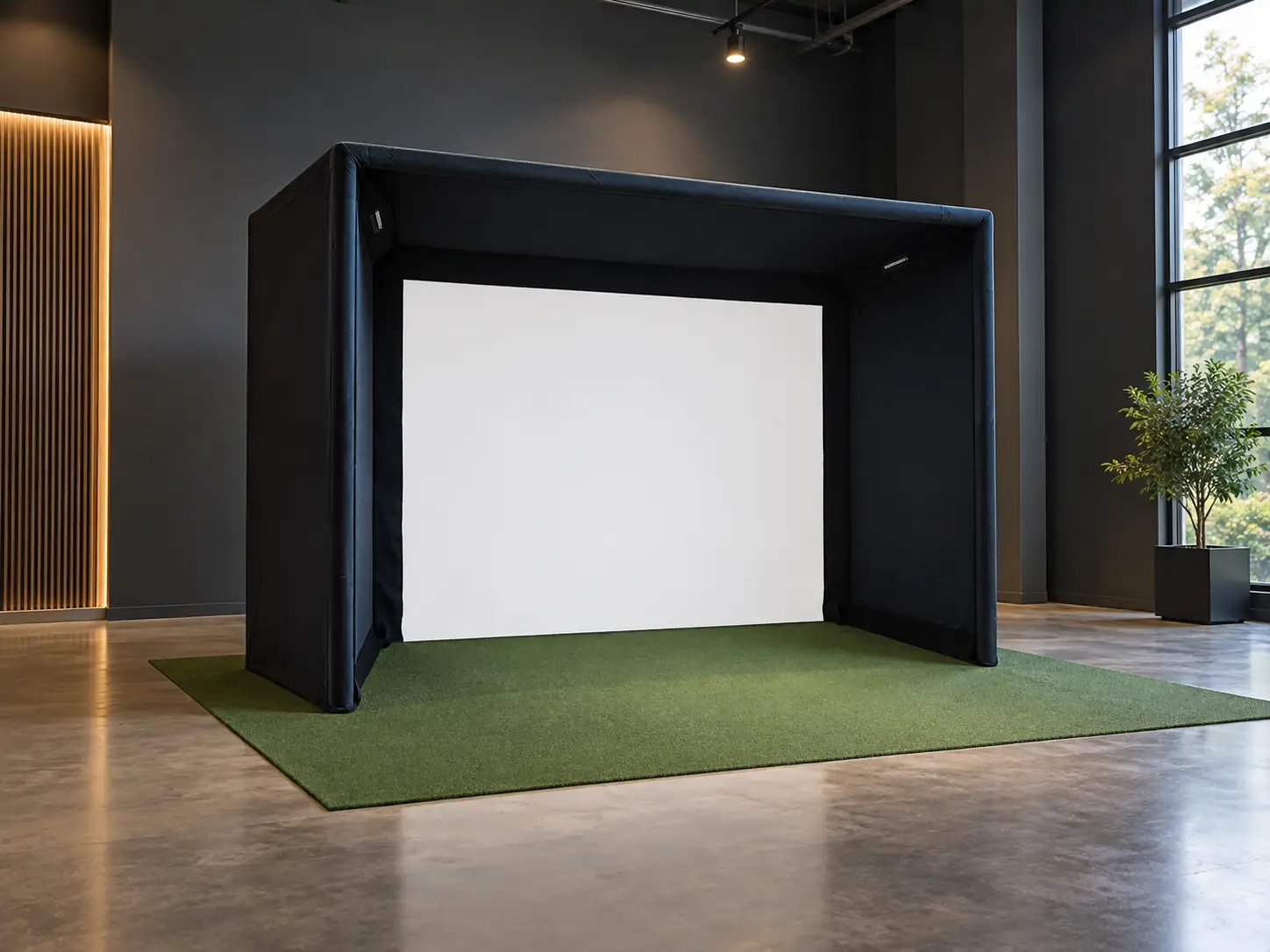
The SIGPRO Commercial Enclosure is worth considering when you’re designing a permanent simulator bay around specific equipment positions, rather than simply looking for somewhere to hang a screen.
I like the range of sizes and depths for a room that needs a more deliberate layout. I wouldn’t pay extra just because the word commercial sounds reassuring.
The frame pipes are a separate purchase, and overhead equipment needs a compatible mounting plan. Those details can change both the price and the enclosure size you should order.
For a home golfer with a straightforward setup, the simpler SIG enclosure may already do the job.
What Does the Commercial Design Actually Change?
The SIGPRO Commercial design removes the bottom front pipe and offers a broader choice of bay dimensions than a single fixed enclosure model.
The assembly manual shows a padded tension wire across the bottom of the screen instead. This is a change to the screen’s lower edge, not a claim that the entire bay has no floor-level hardware.
I’d inspect how that padded edge meets the finished flooring. The wire has its own installation sequence and tensioners, so omitting a pipe doesn’t mean omitting the lower support system.
The included package lists the impact screen, surround, canopy fittings, and internal and external pipe padding. Think of those as the enclosure components, with the structural tubing still to arrange.
Don’t use the product name as evidence of a guaranteed service life. A commercial operator should discuss expected use and replacement parts with the supplier before committing to multiple bays.
Choose Height Around the Equipment First
An enclosure that fits below your ceiling can still be the wrong height for an overhead launch monitor. The device’s installation requirements should determine that part of the design.
The Indoor Golf Shop recommends variants over 10 feet high and at least 8 feet deep for frame-mounted launch monitors. However, its enclosure comparison says the crossbar option is available only at depths of 10 feet or more. Don’t assume an 8-foot selection includes the mounting arrangement you need.
Before ordering, give the supplier the exact device name and your finished floor-to-ceiling measurement. Include the mat and any raised flooring.
Ask where the device’s sensing reference point will end up after its bracket is installed. The top of a frame and the operating height of the equipment are not necessarily the same measurement.
I’d also check the planned hitting position with the tallest regular player. Getting a monitor within its installation range is only part of making the surrounding space usable.
Rear Supports Add to the Footprint
The commercial specification sheet adds a one-foot rear kickstand to the selected enclosure depth. A nominal 10-foot-deep bay therefore occupies 11 feet before any further installation clearance is considered.
This is an easy detail to miss when sketching the room from the menu labels.
Start your layout at the rearmost support rather than pretending the impact screen sits against the back wall. Then place the remaining equipment from the screen and ball reference points each manufacturer specifies.
I would keep delivery access and installation access on that drawing too. A frame can fit in its final location while leaving very little space to build or service it.
In a venue with several bays, repeat the exercise for the entire row. Don’t assume a neat line of screens tells you how much room the supports, walkways, and neighboring swing areas need.
More Depth Gives You Different Layout Choices
The range offers nominal depths of 5, 8, 10, and 15 feet, although availability depends on size. The two shortest frame heights currently have only 5- and 8-foot selections.
First decide whether the player will be inside the covered area or behind its leading edge. Then check how that arrangement interacts with the swing and the projector’s light path.
I would choose depth after the tee location, rather than moving the tee to justify a deeper purchase.
A deep bay may suit a room intended primarily for golf. In a multipurpose space, the same structure could make access to storage or seating unnecessarily awkward.
Think about supervision in a commercial setting as well. Staff should be able to see who is using the bay and where the waiting players are standing.
None of that can be settled from the enclosure’s width alone. The useful choice is the depth that supports the activity without consuming space you need elsewhere.
Can the Crossbar Land Where You Need It?
Crossbar position should be checked against the equipment layout before you assume a frame-mounted installation will work.
SIGPRO’s specification sheet places the crossbar 6.5 feet from the screen for enclosure depths from 10 to 13 feet. Above 13 feet, it lists the crossbar at half the total depth.
That is a structural location, not a universal projector or sensor location. Ask for the drawing for your selected configuration and match it to the actual mounting bracket.
For a proposed purchase, I’d want these points confirmed together:
- The compatible mount and its allowed position on the selected frame.
- The launch monitor’s height and distance relative to the ball.
- The projector lens location needed for the chosen image size.
- Clearance between the golfer’s club and every overhead component.
If those requirements don’t line up, settle the alternative mounting method before ordering. A convenient crossbar is only convenient when the equipment can operate correctly from it.
Budget for a Complete Structure
On September 29, 2026, Shop Indoor Golf listed the 8-foot-high, 10-foot-5-inch-wide, 5-foot-deep version at $3,149.99. A taller 10-foot-5-inch-high, 13-foot-8-inch-wide version with 10-foot depth was $4,049.99, before pipes. The smallest price isn’t representative of every mounting-oriented build.
The required 2-inch frame pipes cost extra; the optional supplied frame kit adds freight at checkout. Mounts, flooring, and electronics also need their own quote.
For local pipe sourcing, request the exact material specification and cut list first. I wouldn’t substitute tubing based only on a similar-sounding diameter.
For a supplied pipe kit, establish how the delivery will be received and moved into the building. That is especially relevant when the bay is upstairs or beyond a narrow entrance.
An installer can also help identify costs that aren’t obvious from a shopping cart. Power, network access, cable routing, and the location of the computer should be resolved while the room is still easy to work in.
Plan Screen Replacement Before Opening Day
For a busy simulator, I would judge the enclosure partly by how straightforward it will be to inspect and maintain after installation.
Ask for the replacement-screen specification for your exact size. Record the order details somewhere you can find them later, rather than relying on a general product name.
Discuss access to padding and attachments with the installer. A permanent room can look beautifully finished while making ordinary maintenance unnecessarily disruptive.
The standard screen is SIGPRO Premium, also supplied with the smaller SIG10 and DIY kits. The commercial upgrade buys a different structure and configuration range; it doesn’t automatically buy a different screen fabric or a proven longer replacement interval.
For a business, include a maintenance allowance in the operating budget and decide who checks the bay before customers use it. The enclosure purchase is a starting point for running the room, not the end of the work.
When a Smaller Enclosure Is the Better Purchase
A simpler enclosure is the better buy if it already accommodates your screen, protection plan, and independently mounted equipment.
Consider a home golfer who plays alone and can mount the projector correctly to the building. Extra enclosure depth or a frame prepared for overhead electronics may add little to that person’s practice.
By contrast, a room planned around frame-mounted devices deserves a closer look at the commercial design. The benefit comes from solving a specific installation problem.
I’d compare complete drawings and delivered quotes for those alternatives. Comparing the cheapest variants won’t reveal which installation is less expensive overall.
The SIGPRO Commercial Enclosure earns its place when its configuration makes the room work better. Choose it for a verified layout, with the supports, mounts, and equipment all accounted for. If you can’t identify the feature your room actually needs, keep the simpler option in contention.
What did you think?
Tap a reaction — no need to write anything.
Thanks for letting us know!
Interested in this?
Leave your details and tell us which applies.

Comments are closed.