
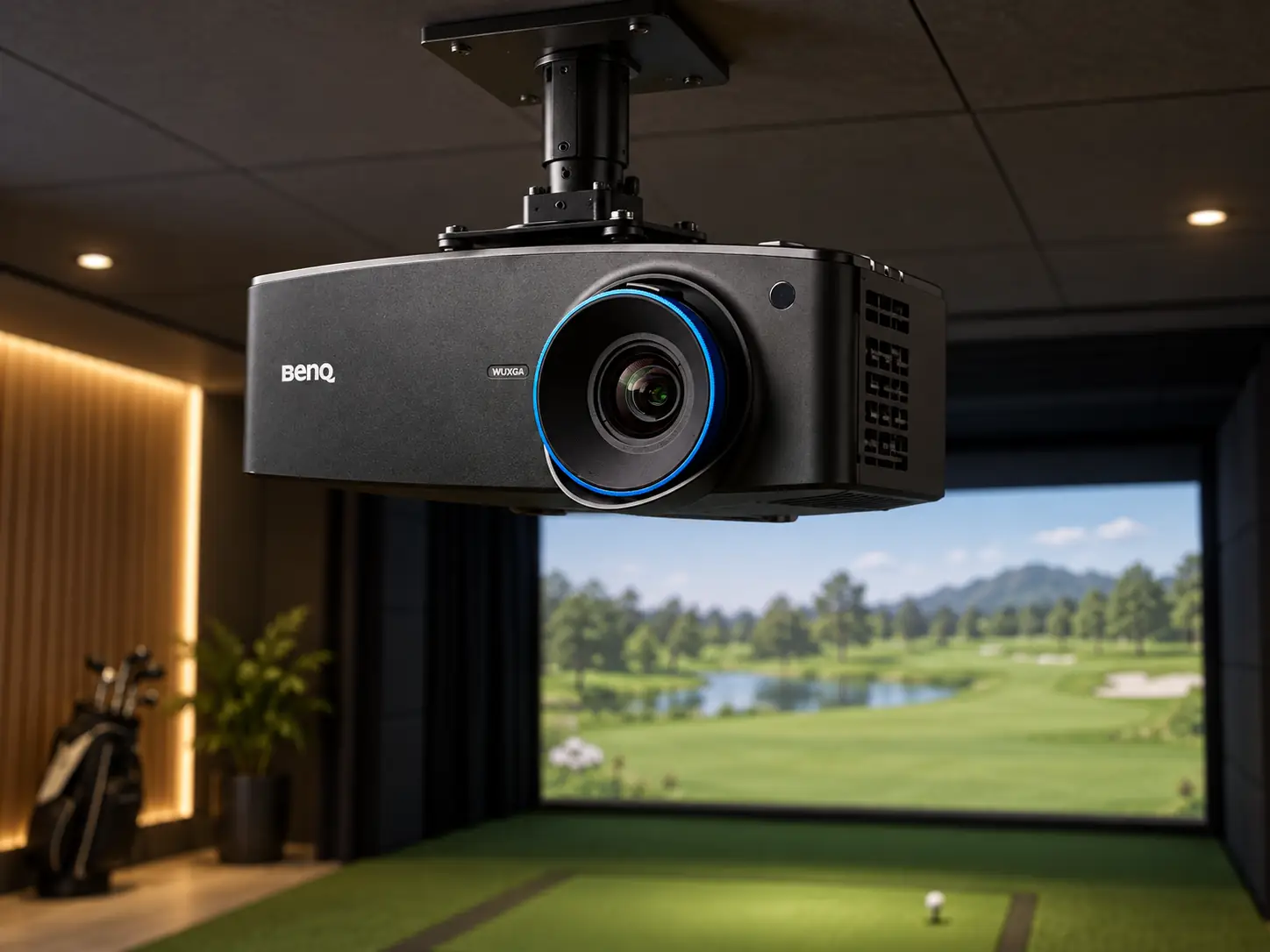
The BenQ LU935ST is a sensible projector for a large simulator bay that needs brightness and mounting flexibility more than 4K.
Its 5,500 ANSI lumens, 16:10 WUXGA image, and generous optical lens shift make it easier to work around the awkward ceiling and screen positions that show up in real rooms.
The catch is cost: this is still a serious installation projector, not a cheap way to get an image onto a mat.
I would consider it for a commercial bay, a wide home enclosure, or a room where the projector cannot hang neatly on the screen centerline.
If you have a simple, dark, ten-foot-wide home setup, the same money may go further elsewhere.
What the WUXGA Picture Gives You
The LU935ST specification page lists 1920 × 1200 resolution.
That is WUXGA, a 16:10 picture with more vertical pixels than standard 1080p.
It is not a native 4K projector.
The distinction matters when you compare it with BenQ’s LK936ST or AK700ST.
For a 16:10 impact screen, WUXGA is a useful shape.
You can fill more vertical space without asking the PC to render a 4K course.
Menus and landing areas should have enough definition for normal simulator viewing distance, although a close look at a very large screen can reveal less fine detail than a 4K model.
A 4K Input Is Still WUXGA
The projector can accept a 4K source, but its displayed image remains WUXGA.
If a product listing says “4K compatible,” read that as input support, not the number of pixels you see on the screen.
I would make the PC output match the screen and projector rather than use unnecessary scaling as a substitute for planning.
The Brightness Is for a Large Screen, Not Uncontrolled Light
At 5,500 ANSI lumens, the LU935ST has more rated output than the other BenQ models considered here.
That extra output helps when the image is spread over a wide impact screen or when some working light has to stay on.
In a teaching bay, you may need the golfer, club, launch monitor, and walkway visible while the course stays readable.
Brightness cannot restore dark blacks if sunlight falls directly onto the screen.
White screen material, room reflections, and the size of the image all change perceived contrast.
I would block or redirect strong ambient light before assuming a higher lumen figure solves every washout problem.
That can save money and make every projector in the room look better.
BenQ rates the laser light source for 20,000 hours.
For a busy facility, avoiding regular lamp changes is a practical benefit.
You still need to plan ventilation, cable access, and a way to reach the projector for cleaning or service. “Laser” does not mean that the rest of the system can be forgotten after installation.
Lens Shift Makes Difficult Mounts Easier
The LU935ST’s 0.81–0.89 throw ratio means a ten-foot-wide image needs roughly 8.1–8.9 feet between lens and screen as a starting estimate.
The 1.1× optical zoom gives a little room to refine that position.
Those numbers should be checked against BenQ’s calculator and the actual visible screen width before fixing the mount.
Its strongest installation tool is lens shift.
BenQ specifies up to 60% movement vertically and 23% horizontally relative to the screen.
That lets the image line up even when the projector is placed away from the obvious center spot.
If a ceiling joist, garage-door rail, duct, or hitting path forces a compromise, physical lens shift can preserve more image detail than leaning heavily on keystone correction.
Cable Runs and Response Need Checking
The projector also supports HDBaseT for longer cable runs in a fixed installation.
That may matter in a commercial room where the PC sits in a cabinet away from the hitting area.
It is useful only if the rest of the signal chain and cabling are designed for it.
A home user with a nearby PC may never need that port.
Do not confuse the projector’s input response with the time it takes a simulated ball to appear after impact.
BenQ’s LU935ST overview promotes a response under 17 milliseconds, while its US specification page lists 33.4 milliseconds at 1080p and 60 Hz.
Those claims are not directly reconciled on the pages.
I would avoid using either figure as a promise of total simulator latency.
Launch-monitor capture, computer processing, and game rendering still sit between the swing and the final image.
Put the Swing Before the Mount
The projector can be short throw and still end up in the wrong place.
Draw the ball-to-screen distance, proposed lens position, golfer stance, and full driver swing.
Then check the projected beam for body shadows and the unit itself for club clearance.
A wide-angle lens does not make a ceiling bracket safe when it sits where a club can reach it.
Impact-screen movement and the room behind the screen belong in the same drawing.
If you need to move the ball back to create safe screen clearance, the golfer’s relationship to the beam changes.
Recheck shadows, throw, and swing clearance after moving the ball position; this model still needs a room-specific layout.
Price and Alternatives
Shop Indoor Golf listed the LU935ST at $3,999.99 on September 16, 2026.
That price buys installation flexibility and high output, not 4K.
BenQ’s LK936ST is the step up if you want the same general throw and lens-shift approach with a 4K picture.
It costs more and gives you slightly less rated light output.
Compare the Less Expensive Alternative
The AH700ST is worth a look if your mount can stay near the screen centerline.
It is a 4,000-lumen 1080p laser with a somewhat shorter throw and automated screen-fit tools.
You lose the LU935ST’s physical lens shift, so a lower sticker price is useful only if the bay can accommodate it.
I would choose the LU935ST when a large 16:10 screen and awkward ceiling make brightness and lens shift the two requirements you cannot give up.
I would not buy it just because its lumen number is the largest.
In a controlled home room, the right mount, screen material, and PC may matter more than another thousand lumens.
The deciding comparison is short:
- Choose the LU935ST if a tall screen needs a brighter native 16:10 image.
- Choose the LK936ST when a large, dual-use screen will reward 4K detail.
- Consider the AH700ST when the mount can stay central and a lower price matters.
The first two share a similar throw range and physical lens-shift capability.
Neither solves an unsafe swing path, so settle the room drawing before treating this as a resolution contest.
What did you think?
Tap a reaction — no need to write anything.
Thanks for letting us know!
Interested in this?
Leave your details and tell us which applies.

Comments are closed.