
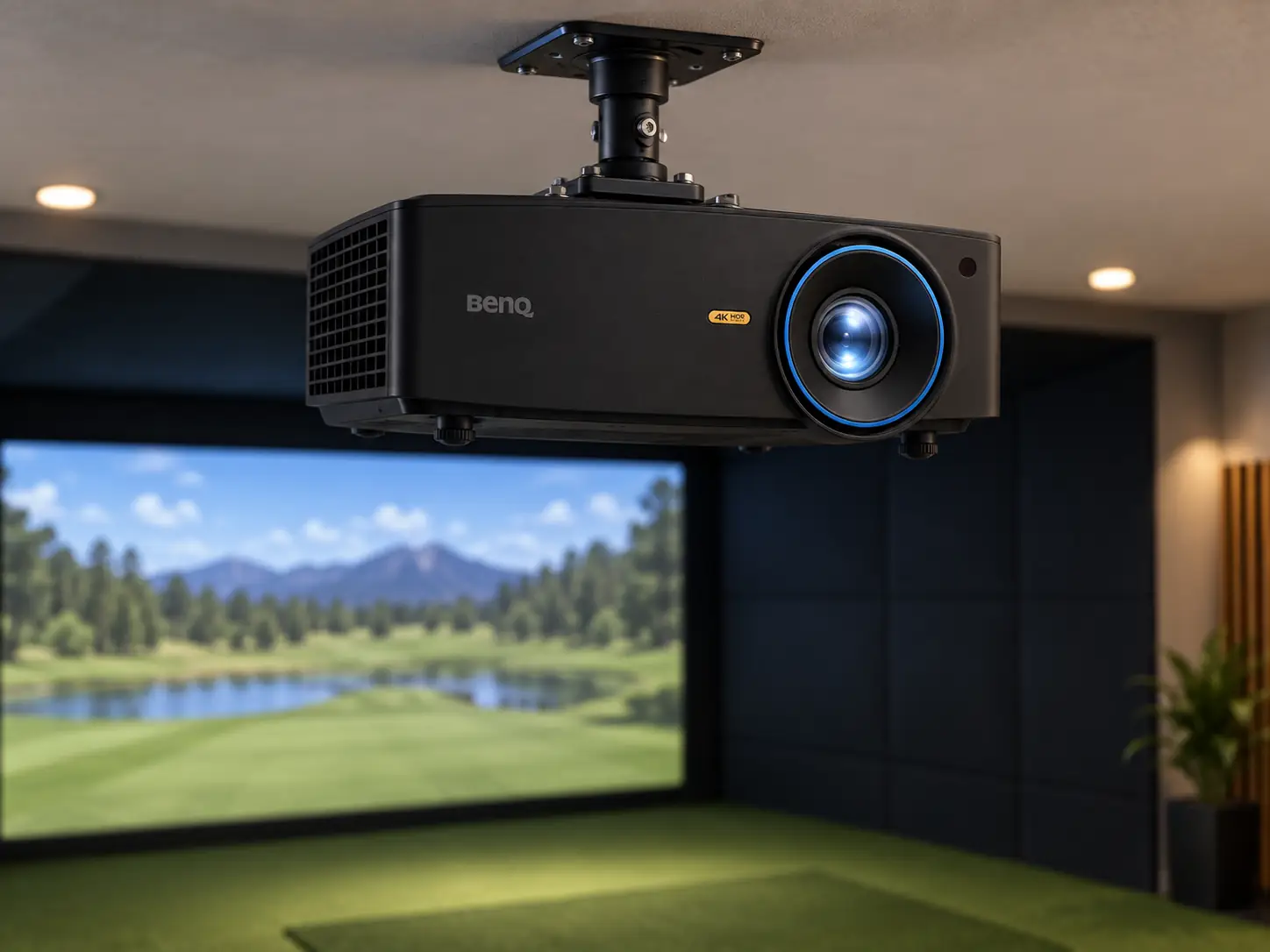
The BenQ LK936ST makes sense when you have a large impact screen, some light to manage, and a mounting position that ordinary short-throw projectors cannot handle neatly.
Its combination of 4K resolution, 5,100 ANSI lumens, and physical lens shift is genuinely useful in a finished simulator room.
It is also an expensive way to solve problems that a smaller, darker room may not have.
I would start with a drawing of the bay, not the projector.
The LK936ST can produce a sharp picture, but its throw distance and mounting position still have to work around the golfer, the launch monitor, the screen, and the ceiling.
Lens Shift Is the Reason to Look Closely
The LK936ST specifications give it a 0.81–0.89 throw ratio and 1.1× optical zoom.
For a ten-foot-wide picture, that works out to roughly 8.1–8.9 feet from lens to screen before installation tolerances.
This is a planning range, not a promise that any mount within it will fit your exact screen.
The more unusual feature is physical lens shift.
BenQ lists a vertical range of plus or minus 60% and a horizontal range of plus or minus 23%.
That lets you move the image on the screen while keeping the projector itself in a more practical position.
If a ceiling beam, garage-door track, or swing path blocks the obvious centerline mount, lens shift gives an installer options that digital keystone cannot fully replace.
Keep Digital Correction in Reserve
Keystone can straighten a skewed rectangle, but it resamples the image.
Digital shrink can help contain the picture within the screen, but it also gives up some usable pixels.
I would use the lens and mount location first, then keep digital corrections modest.
At this price, paying for 4K and throwing away a large part of it through avoidable geometry would be frustrating.
Brightness Helps, but the Room Still Matters
The 5,100-ANSI-lumen laser is a good match for a wide simulator screen or a room that cannot be completely darkened.
You can leave enough light to see the ball, clubs, and walkway without expecting the picture to disappear immediately.
That does not mean the projector will overpower direct sunlight or bright fixtures aimed at the impact screen.
Screen material, image size, and ambient light all affect what your eye sees.
A larger image spreads the available light across more area.
If the room has windows, controlling them may improve contrast more than another step up in projector output.
Aim task lighting at the golfer while keeping direct light off the impact screen.
BenQ rates the laser light source for 20,000 hours in normal mode.
That removes routine lamp replacement from the ownership plan, although it does not make the projector maintenance-free.
You still need ventilation, a clean optical path, and access to the unit if anything needs service.
A 4K Label Does Not Finish the Simulator
The LK936ST displays 3840 × 2160 pixels in a native 16:9 shape.
Fine course textures, menus, and small text can look more detailed than on a 1080p projector, particularly on a large screen viewed from the hitting area.
The benefit depends on the PC and software actually sending a suitable 4K image.
A lower-resolution simulator output will not gain detail because it passes through a 4K projector.
Rendering at 4K can also ask more of the graphics card.
I would check the simulator software’s requirements, the desired frame rate, and the PC budget before spending heavily on the projector.
If the computer must be upgraded as well, the real cost of the visual improvement is more than the display alone.
Match the Screen Shape to the Image
Aspect ratio deserves the same attention.
A 16:9 image looks natural on a wide screen.
Many golf enclosures are closer to 4:3, 16:10, or even square.
You can still use this projector with them, but you may have unused screen area or need to adjust the output and image size.
Measure the visible impact-screen area, not only the enclosure’s outside dimensions.
Installation Is a Whole-Bay Decision
A ceiling mount is the obvious starting point for a permanent LK936ST installation.
Mark the proposed lens position, the ball, and the screen on the floor before ordering a mount.
Then make full swings with the tallest and widest-swinging golfer who will use the room.
Check whether the golfer or a club crosses the beam, and whether a body shadow reaches the screen.
Do the same for the screen’s movement.
An impact screen needs space behind it to absorb a shot.
The projector’s lens-to-screen number does not include that wall clearance, the housing depth, or safe room around the golfer.
BenQ’s golf simulator planner can help test a layout, but I would still verify it against the physical room before drilling into a ceiling.
Make Room for the Projector Body
The larger chassis also calls for a suitable mount and ceiling structure.
BenQ lists the projector at about seven kilograms.
That is manageable for an installer, but it is not a tiny portable unit that you can casually move between a garage and a living room.
Is the Premium Worth Paying?
Shop Indoor Golf listed the LK936ST at $4,899 on September 16, 2026.
That is a substantial part of many home simulator budgets.
The projector’s strongest case is a large, permanent room where 4K detail, high light output, and flexible physical alignment will all be used.
If 4K is optional but brightness and lens shift are essential, the WUXGA LU935ST is the more direct alternative.
If you can place the projector on the screen centerline and control room lighting, the AK700ST can provide 4K at a shorter throw and a lower listed price.
Neither choice is automatically better.
The room drawing should make the answer clearer.
I would buy the LK936ST for a premium, dual-use bay where the projector position is difficult and the screen is large enough to reward its resolution.
For a compact home setup with a straightforward mount, I would spend less here and put the savings toward the PC, impact screen, and safe installation.
Before placing an order, I would put three measurements on the same room sketch:
- Measure the visible screen width and height inside the enclosure borders.
- Mark a lens position that makes the image without crossing the club or golfer.
- Confirm the ceiling and wall structure can carry the mount while leaving ventilation and service access.
If those measurements agree, the LK936ST’s expensive features have a clear job.
If they do not, no amount of 4K detail will make the installation pleasant to use.
What did you think?
Tap a reaction — no need to write anything.
Thanks for letting us know!
Interested in this?
Leave your details and tell us which applies.

Comments are closed.