
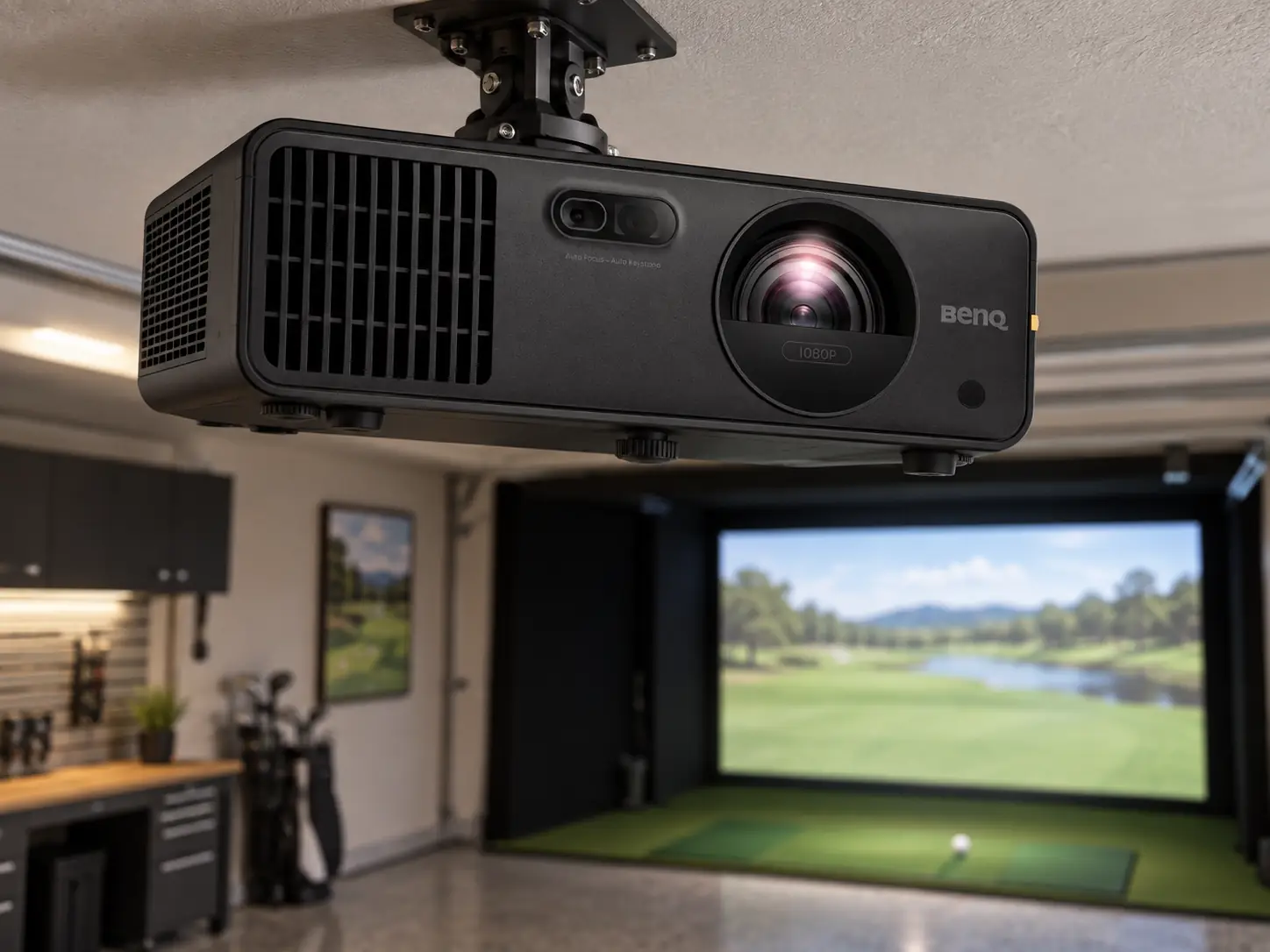
The BenQ AH700ST is the model I would consider when a home simulator needs a bright, short-throw picture and easy setup, but 4K is not a priority.
It has the same 4,000-ANSI-lumen rating and general throw range as BenQ’s AK700ST, while using a 1080p image.
That trade can be sensible if the PC, screen, and viewing distance will not reward a 4K upgrade.
Its limitation is physical placement.
Auto Screen Fit helps align an image after the projector is mounted.
It does not give the AH700ST the optical lens shift of a premium installation projector.
The cleanest result still starts with a sensible mount near the screen centerline.
What You Are Actually Buying
BenQ’s AH700ST specification page lists 1920 × 1080 resolution, a laser light source, 4,000 ANSI lumens, and a 0.69–0.83 throw ratio.
For a ten-foot-wide image, that ratio suggests a lens position roughly 6.9–8.3 feet from the screen.
Measure from the lens, not the rear of the housing, and verify the final dimensions with BenQ’s planner.
That is a convenient range for many dedicated bays.
You may be able to keep the projector between the ball and screen while leaving the golfer behind the beam, or place it above the hitting area if ceiling height and swing clearance allow.
The actual answer depends on where the ball must sit for the launch monitor and safe screen distance.
Control Light Before Trusting Lumens
Four thousand lumens give you more headroom than a dim budget projector when you need to see the ball and clubs.
You still have to control direct light on the impact screen.
Curtains and lighting changes can matter as much as raw output.
I would test the room’s lighting plan before deciding any lumen rating is enough.
Setup Tools Help After the Mount Is Right
The AH700ST includes Auto Screen Fit, quick focus, 1.2× optical zoom, and Screen Fill settings for 16:9, 16:10, 4:3, and 1:1 shapes.
Those features are helpful when an impact screen is not exactly the same shape as a television.
They can save time when you want the picture contained within a black border instead of spilling onto the enclosure.
They also have limits.
A 4:3 or square screen will not use all the pixels of a native 16:9 picture.
Digital keystone and corner correction can straighten a misaligned image but resample it.
I would mount the projector as square to the screen as practical, use the optical zoom for size, and reserve digital tools for small final corrections.
No Lens Shift Means a Central Mount
BenQ does not list optical lens shift for this model.
If a ceiling beam or track forces the unit far to one side, do not assume Auto Screen Fit makes the problem disappear.
A model such as the LU935ST or LK936ST costs more partly because it can physically shift the image while keeping the projector in an awkward position.
Is 1080p Enough?
For many home simulator rooms, yes.
A golfer stands several feet from a textured impact screen, not inches from a computer monitor.
At that distance, the course image, ball flight, and menus can be enjoyable in 1080p, especially if the PC runs the game smoothly and the room light is controlled.
The compromise becomes more visible on a wide screen, when the room doubles as a movie space, or when you sit closer to read small text.
A 4K projector also makes sense if the PC already has the graphics capacity to render 4K comfortably.
The AH700ST cannot display those extra source pixels, even if the HDMI cable and computer can send them.
Aspect Ratio Is Another Constraint
Screen shape is a separate issue from sharpness.
Imagine a ten-foot-wide impact area that is 7.5 feet tall.
That is a 4:3 rectangle.
A full-width 16:9 picture on it is only 5.625 feet tall, leaving nearly two feet of fabric unused vertically.
Screen Fill or a different output setting can change the presentation, but it cannot turn a 16:9 imaging chip into a native 4:3 one.
Decide whether you prefer unused border, a cropped course view, or a different projector and screen pairing.
BenQ rates the laser source for 20,000 hours.
That is useful for a simulator used several evenings a week and removes routine lamp purchases from the budget.
Mount access and ventilation still matter, as does the cost of the PC, screen, enclosure, cable run, and any audio system you want.
Where It Fits Among the BenQ Models
Shop Indoor Golf listed the AH700ST at $2,299 on September 16, 2026.
The AK700ST was listed $600 higher on the same date.
If you know the screen will be wide and the PC will output 4K, that difference may be worth paying.
If not, I would rather keep the money for a better impact screen or a more reliable PC.
Compare the Shorter-Throw Option
The AH500ST costs less and throws a ten-foot-wide image from roughly five feet away.
It may be the better answer in a shallow room, but its fixed optical throw gives you less placement flexibility.
The AH700ST’s 1.2× zoom and longer range make it easier to fit when you have a normal ceiling mount.
I would buy the AH700ST for a dedicated home bay with a straightforward mount, a need for some working light, and no strong reason to pay for 4K.
I would measure the actual screen and safe swing area before ordering it.
The projector is capable; whether it is the right projector is a room question.
A practical choice between the nearby BenQ models comes down to the constraint that cannot move:
- Examine the AH500ST when room depth is the hard limit because its lens fills a wide image closer to the screen.
- Choose the AH700ST for a straightforward mount and controlled budget with optical zoom and a bright laser image.
- Consider the AK700ST for a large dual-use screen and a PC that can use its 4K pixels.
Use that comparison only after checking throw and safe mount height.
An apparent feature match cannot rescue a projector whose beam or housing crosses the swing.
What did you think?
Tap a reaction — no need to write anything.
Thanks for letting us know!
Interested in this?
Leave your details and tell us which applies.

Comments are closed.