
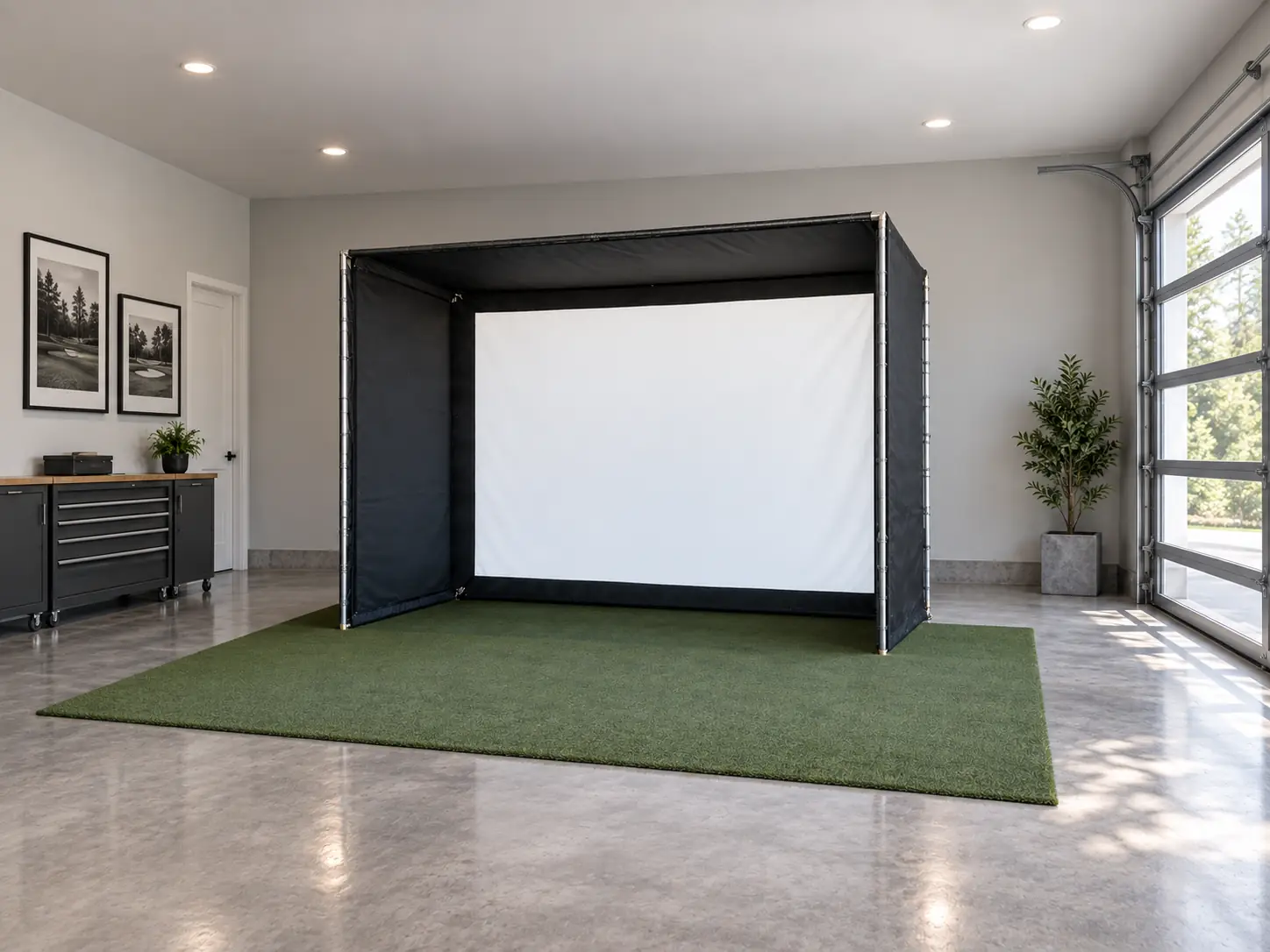
The Indoor Golf Shop’s DIY Golf Simulator Enclosure suits someone who wants a matched screen and surround but is comfortable sourcing the frame tubing separately.
I would consider it if you already have the tools, space, and patience for accurate measuring and cutting. I wouldn’t assume it saves money until the pipe, transport, and tool costs are on the same page as the kit price.
This is a specific enclosure kit with a prescribed frame layout. It isn’t a license to invent your own dimensions and expect the supplied fabric to fit.
The first job is choosing the correct size. The second is understanding what you still need to supply.
Where the DIY Work Begins
The kit supplies the SIGPRO Premium screen, surround, fittings, padding, and bungees, while the frame pipes are excluded. The product description specifies 1-inch EMT, or electrical metallic tubing, for the frame.
That arrangement lets you keep a coordinated fabric package while handling the metalwork locally.
I find that a more useful way to think about this product than calling it a cheap enclosure. You’re choosing which parts of the build to take responsibility for.
Before ordering, check that the specified tubing is available nearby and that you can transport it. A good online price doesn’t help much if sourcing the remaining material becomes a project of its own.
If you prefer precut tubing, ask for a quote for the matching pipe kit. Once you’ve added that option, compare the complete package with an enclosure that already includes its poles.
Pick the Fabric Size Before Buying Tubing
Choose the enclosure configuration and its matching assembly appendix before purchasing or cutting any pipe.
The current selection includes square, 4:3, 16:9, and 16:10 formats. Choose the picture shape along with the frame size; buying whichever rectangle fills the wall can leave an awkward projection problem.
For the DIY-SIG10 layout, the manual specifies twelve 10-foot lengths of 1-inch EMT. Its cut list calls for four pieces at 96.5 inches, six at 62.125 inches, and four at 56.5 inches. Those numbers apply to that layout, not the entire DIY range.
I’d mark the selected model on a printed copy of the instructions and put the unrelated size pages aside. That makes it harder to accidentally mix measurements from neighboring diagrams.
Also write down which dimensions represent the outer frame and which describe the visible screen. Your room fit depends on the first set, while the projected image depends on the second.
If you need a nonstandard size, get a matching screen, surround, and frame specification from the supplier. Shortening tubing alone can leave you with fabric that no longer fits properly.
Don’t Trust a Room Recommendation That Contradicts the Frame
The physical enclosure must fit before a general room-size recommendation is useful.
Both the support table and the DIY-SIG10 manual drawing list a 10-foot-10-inch-wide frame alongside a recommended room width of only 10 feet. Those measurements cannot both describe a usable fit.
I’d treat that row as a documentation issue and ask for corrected guidance. I wouldn’t squeeze the frame into a room using the smaller number.
The drawing establishes the frame dimensions, but its room recommendation repeats the problem. Ask the supplier for a corrected layout that includes swing space and screen clearance before ordering or cutting.
That is especially relevant in a narrow basement. Moving the hitting position away from the screen center may solve one obstruction while creating another issue for stance or projection.
A room check should end with an arrangement you can explain and measure, rather than a reassuring number copied from a table.
Cutting Is Only Part of the Assembly
Building the frame also involves organizing the cut pieces, engaging the connectors correctly, and tightening the assembly before fitting the fabric.
The manufacturer’s manual describes marking the pipe for a 4-inch insertion into the connectors. Follow the instructions supplied for your actual kit, including any later revision.
I’d label each finished piece with its position as well as its length. A pile of similar tubes is much easier to assemble when you can tell which ones belong together.
Work in an area where you can keep metal-cutting debris away from the impact screen. Finish and clear the cutting work before unpacking the white material.
Don’t force the screen onto a frame that looks uneven. Check the frame against the drawing first, because fabric tension shouldn’t be used to disguise an assembly mistake.
If the cutting equipment or process is unfamiliar, paying for properly prepared pipe may be the sensible choice. Doing the enclosure yourself doesn’t require doing every task personally.
Compare Costs at the Same Finished Size
The $1,619.99 starting price on September 29, 2026 applied to the 8-foot-4-inch square version. The 10-foot-10-inch-wide, 8-foot-4-inch-high, 5-foot-deep version cost $1,749.99 before tubing.
The complete SIG10 enclosure, with the same outer footprint and supplied poles, was $1,999.99. Subtracting the two listed prices leaves $250 for the DIY tubing, cutting, transport, and any new tools before the initial saving disappears.
That is a useful comparison, not a claim that the kits are identical. The DIY drawing lists a 10-foot-wide viewable screen, against the SIG10’s published 10 feet 1 inch. The frames also use different connection systems.
Leave the projector and launch monitor out of this particular comparison if they’re identical in both builds. Otherwise, you can accidentally credit the enclosure with a saving that actually comes from choosing different electronics.
Value your time honestly too. An enjoyable weekend project is different from work you resent because the simulator can’t be used until it’s finished.
I would pay a reasonable premium for included poles if the alternative involved buying tools for a single job. Someone who already works comfortably with tubing may reach the opposite conclusion.
Size the Picture for the Screen You Ordered
The projector needs to suit the viewable screen dimensions of your selected DIY variant. It doesn’t project to the outside of the metal frame.
Aspect ratio is the screen’s width compared with its height. Match the intended image shape to that opening before choosing a projector position.
For an existing projector, work backward from its supported image sizes and throw distance, meaning the lens-to-screen distance needed for the picture. Don’t assume that owning the projector means it will work with whichever enclosure fits the wall.
I’d ask for an image layout showing the lens, screen, and ball position together. That gives you a way to discuss picture fit without relying on phrases such as fills the screen.
The maker’s enclosure comparison identifies SIGPRO Commercial as its frame-mounting option for projectors and launch monitors. Budget an appropriate separate mounting method for this DIY frame rather than improvising an overhead attachment.
Finish the Area Beyond the Screen
The build still needs a hitting surface, suitable surrounding protection, and a workable route for cables once the enclosure is assembled.
Side barrier netting is shown as a separate purchase in the DIY manual. Include it in the discussion if the room is exposed beside the hitting position.
Before considering the bay ready for use, I’d walk through a short check:
- Compare the completed frame with the selected assembly diagram.
- Confirm the screen and surrounding padding are attached as instructed.
- Inspect exposed room surfaces along possible missed-shot paths.
- Keep power and data cables clear of feet and club movement.
The enclosure can look finished while these details remain unresolved. Photographs taken from directly behind the golfer may hide an exposed side window or a cable crossing the entrance.
Give the practical work the same attention as the appearance. It is much easier to route a cable or adjust access while you’re still building the room.
Who Gets Good Value From This Kit?
The SIG DIY kit offers the clearest value to a buyer who wants its specific screen and surround and can complete the matching frame without much extra expense.
It also suits someone who enjoys a measured assembly project and is willing to resolve documentation questions before making irreversible cuts.
I’d lean toward the SIG10 instead if its dimensions work and you want the poles supplied as part of the enclosure. For either choice, compare equivalent screen selections and the full delivered contents.
My decision would come down to a written material quote and a realistic build plan. If the saving remains worthwhile after both are complete, the DIY approach has a sensible purpose. If the numbers converge, buy the arrangement that gets your room working with less unwanted effort.
What did you think?
Tap a reaction — no need to write anything.
Thanks for letting us know!
Interested in this?
Leave your details and tell us which applies.

Comments are closed.